Designer
Parts, joinery and drawings, in a file that knows how it’s built.
Mac · Windows
Design it at the desk, buy it at the yard, build it at the bench. Every app reads the same file, so the numbers never drift apart.
iPhone and Android: Bench and Yard
The apps
Parts, joinery and drawings, in a file that knows how it’s built.
Mac · Windows
What to buy, in boards and sheets the yard sells.
iPhone · Android
FreeWhat to cut next, what it measured, what’s in the clamps.
iPhone · Android
What it does
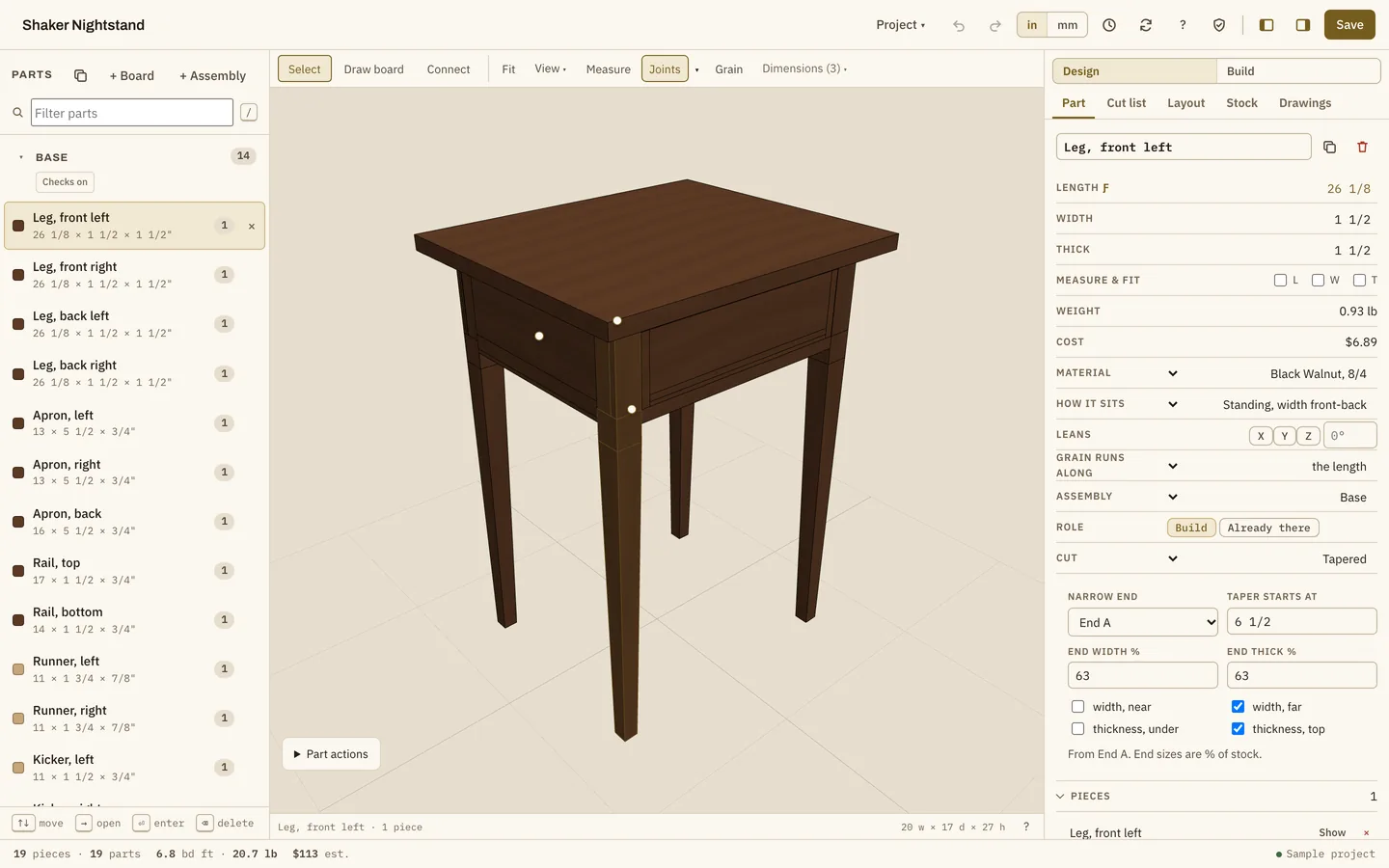
Pick two faces and a joint: mortise and tenon, dovetails, dados, laps, dowels, dominos, pocket screws. Both parts are cut to match.
Every piece at its finished size, board feet by material, and each sheet laid out with your blade’s kerf. The last sheet can be a half or a quarter.
Yard lists boards, sheets and hardware. A top wider than any board becomes a glue-up: how many strips, how wide, how long.
Cuts grouped by saw setting, in the order a shop day runs. Measure the drawer opening and the drawer parts are ready to cut.
Dimensioned drawings, the cut list, sheet layouts and a drawing for every assembly step. Print it or save it as a PDF.
It knows what joins what, what bears the weight, and what can’t go in once the glue is on.
The file
Keep your projects in any folder, like iCloud Drive or Dropbox, and open them on every computer and phone. Any text editor reads the file.
The Designer, Yard and Bench all work with no signal. Each phone keeps its own copy.
Turn it on and your computer and phones share projects. Turn it off and nothing is lost. How sync works
AI assistants
Chat with the open project in the Designer, on your own Anthropic or OpenAI key or a model on your computer. Or connect the assistant you already use to your projects folder. Either one reads the cut list, the joints and the checks, and can change the design.
In ChatGPT or any other chat, copy the project and paste it in.
Pricing
Prices are in US dollars, plus applicable tax. At checkout, Link may show them in your currency. On sale in the countries where Link, our seller, handles the sales tax.
Yes. Open every template and look around. Your first two projects are free, with every feature: design them, print the plans, build them. A key covers the next one.
No. The apps work with files on your own devices. You sign in only to turn on sync.
Yes, all three apps. Only sync needs a connection, and it catches up when you’re back.
Either. Type fractions like 12 1/2 or 12-1/2, or metric like 300mm. The in and mm switch converts the whole project.
Yes. Your key came by email. Open Licence… in the Project menu on the new computer and paste it. More about your key
Your cloud data stays, and cloud access pauses until you restart Sync. Copies already on your devices remain available to view and export. A valid purchased or earned key keeps offline editing unlocked.