Help · Designer
Cut list and sheet layouts
Pieces by material with board feet and cost, and each sheet laid out with the kerf.
The cut list
Open the Cut list tab on the right. At the top: pieces, board feet, weight, distinct parts and the estimate. Below, the parts grouped by material, each row as quantity × length × width × thickness with its board feet.
- Sizes are finished sizes. The shopping list adds the waste allowance, not the cut list.
- ± marks a size you’ll measure at the bench.
- A part with edge banding shows the size to cut before the banding goes on.
- CSV saves the list for a spreadsheet; Print prints it.
Sheet layouts
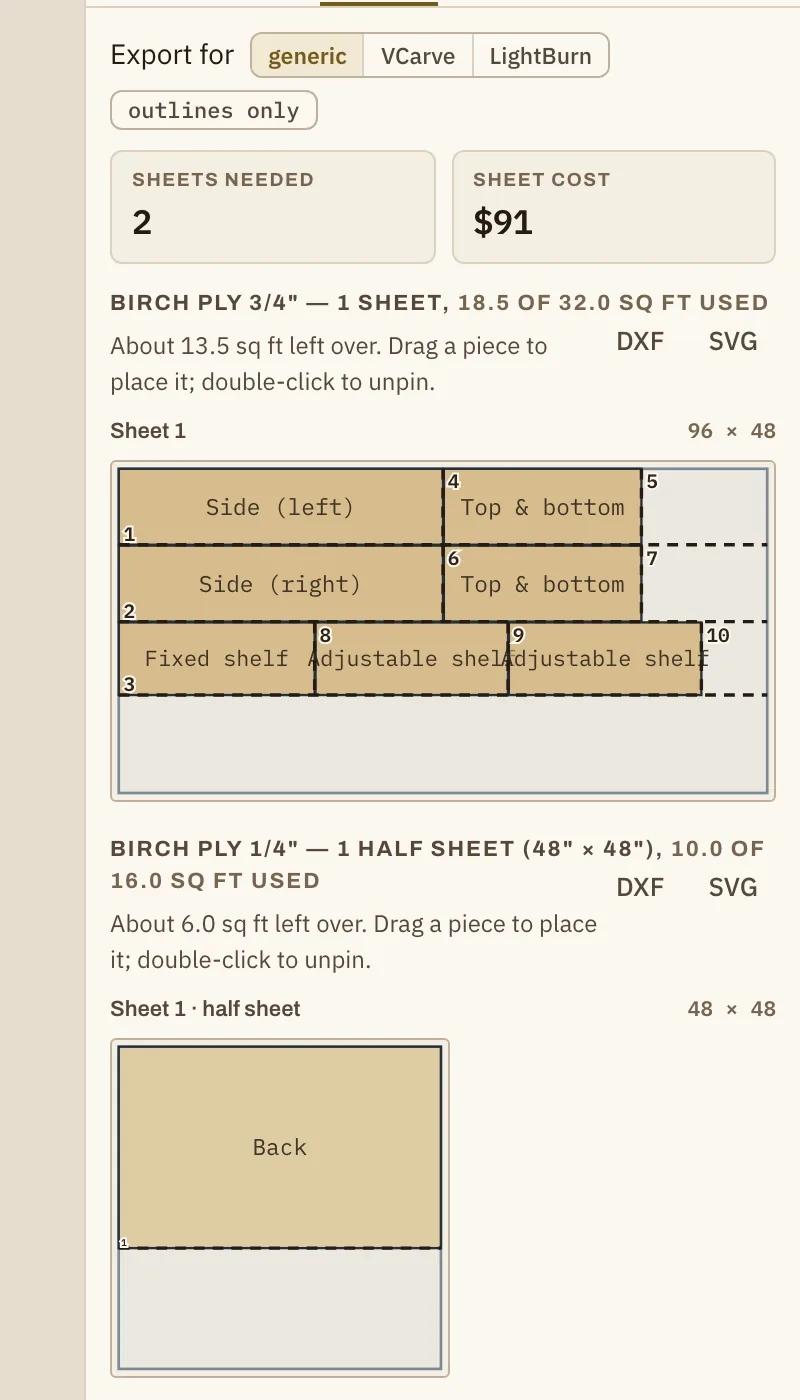
The Layout tab lays every sheet part out on its sheets, with the saw kerf between pieces. It shows the sheets you need, what they cost, and roughly how much is left over.
- Drag a piece to place it yourself; double-click it to let the layout place it again. Repack starts over.
- DXF and SVG save a sheet for a CNC. Export for picks generic, VCarve or LightBurn, and outlines only or with the joinery.
- Offcuts in your rack are packed first and shown as free.
Partial sheets
Many stores sell half and quarter sheets. Tell the Designer which:
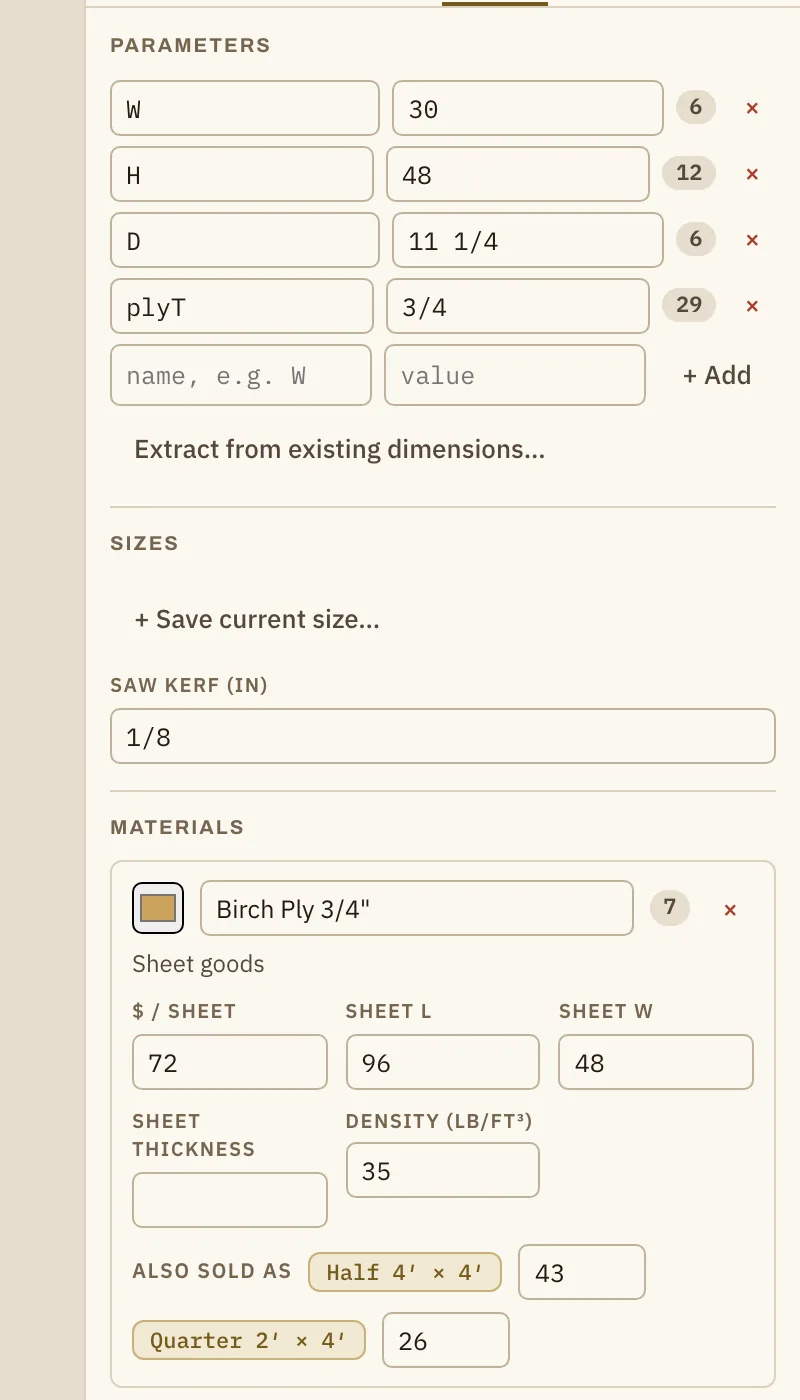
- Open the Stock tab and find the sheet material.
- Under Also sold as, turn on Half 4′ × 4′, Quarter 2′ × 4′ or both, and type the price. Left blank, the price is worked out by area.
The fullest sheets stay full size. The last, least-filled sheet is bought in the cheapest smaller size that holds its pieces, and the list says so: “1 sheet + 1 quarter sheet”.
When trimming a size the pieces share by up to 1/4″, in 1/16″ steps, would save a sheet or a half sheet, Check says so under A trim saves a sheet, with the size that fits.
Saw kerf
Stock tab, Saw kerf: 1/8″ to start. Set it to your blade. If you’ve recorded your table saw’s blade at the Bench, the tab offers to use it.
Glue-ups
Set Widest board on a lumber material to the widest board your yard stocks. A part wider than that is planned as a glue-up: Check lists how many strips, and the Build tab’s Lay out the strips places them on boards. Yard buys the strips with extra length and width to joint and trim.